Android Repair Mode: Protect Your Data During Phone Repairs
Learn about Android's Repair Mode, a crucial feature for safeguarding your personal data when sending your phone in for repairs. We explain how it works, why it's important, and its potential impact.
How to Use Repair Mode on Your Android Phone (And Why You Should)
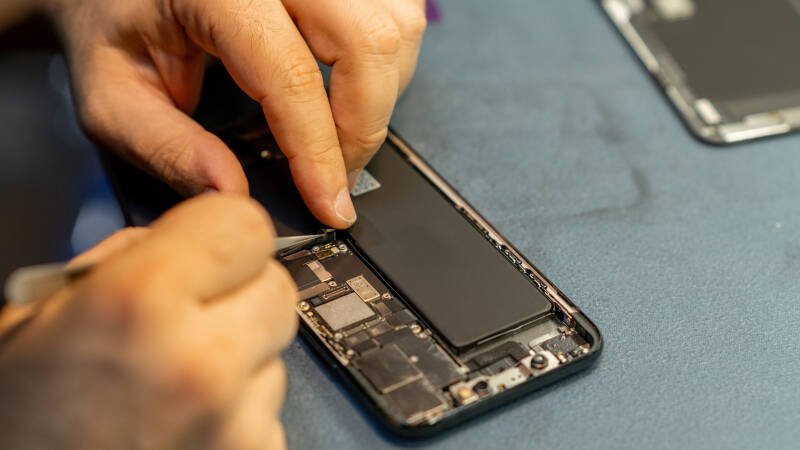
Sending your Android phone in for repairs can be a nerve-wracking experience. You're entrusting a stranger with your device, which contains a treasure trove of personal information – photos, messages, banking details, and more. Thankfully, Android's Repair Mode offers a solution to protect your data during this vulnerable time.
What is Repair Mode?
Repair Mode is a feature available on some Android phones that creates a separate, secure environment for technicians to diagnose and repair your device. When enabled, it restricts access to your personal data, effectively creating a "clean" version of your phone without wiping your information entirely. The repair technician can test hardware and software functionality without seeing your photos, accessing your emails, or snooping around your accounts.
How Does It Work?
While the exact implementation varies slightly depending on the manufacturer (Samsung, Google Pixel, etc.), the general process is similar. Typically, you'll find Repair Mode within your phone's settings, usually under "Battery and device care," "Security," or a similar section. Activating Repair Mode usually requires your phone's PIN, pattern, or password for added security. Once enabled, the phone restarts into a special mode where only essential apps and functionalities are available. All your personal data remains encrypted and inaccessible to anyone without your unlock credentials.
When you get your phone back, simply disable Repair Mode (again using your PIN/pattern/password), and your phone will return to its normal state, with all your apps and data intact.
Why This News Matters
In today's world, where data breaches are increasingly common, protecting your personal information is paramount. Repair Mode provides a crucial layer of security when your phone is out of your control. Without it, technicians potentially have access to your entire digital life, which could lead to privacy violations, identity theft, or other malicious activities. This feature empowers users to maintain control over their data even when their device needs professional assistance.
Our Analysis
We believe Repair Mode is a significant step forward in Android security. It addresses a real concern for users who are hesitant to send their phones in for repair due to privacy risks. The feature is relatively easy to use and provides peace of mind knowing that your data is protected. However, its effectiveness depends on widespread adoption by manufacturers and a clear understanding of its functionality by users.
In our opinion, Google should mandate Repair Mode as a standard feature in all Android devices to ensure consistent security across the ecosystem. Furthermore, clearer instructions and promotional materials are needed to educate users about its benefits and how to use it effectively.
Future Outlook
The future of Repair Mode looks promising. As data privacy concerns continue to grow, we expect more manufacturers to implement similar features on their devices. We also anticipate further enhancements to Repair Mode, such as granular control over which data is accessible to technicians and improved reporting on repair activities.
This could impact the entire repair industry. Repair shops may need to adapt their procedures to accommodate devices in Repair Mode. Training technicians on how to work with devices in this mode will be essential. Furthermore, the availability of Repair Mode could encourage more users to opt for professional repairs instead of attempting DIY fixes, knowing their data is secure.
Key Takeaways:
- Repair Mode protects your data when sending your Android phone for repairs.
- It creates a secure environment, restricting access to personal information.
- Activating and deactivating Repair Mode requires your phone's PIN/pattern/password.
- This feature is a crucial step in enhancing Android security and protecting user privacy.
Ultimately, Repair Mode is a valuable tool for any Android user who wants to safeguard their personal data during phone repairs. It's a feature worth exploring and using whenever your device needs professional attention.